Scheduler
Year
2023
Timeline
3 months
Client
Meta
Role
UX Designer

A reservation system designed to give users dedicated time with a robot, whether they’re running workflows, performing specific actions, or simply need uninterrupted time with it.
Background
Meta currently operates 58 autonomous robots across several data center sites. These robots perform essential workflows such as monitoring environmental factors and capturing rack images. They also provide critical telepresence support, allowing remote teams to assist onsite technicians with real-time troubleshooting.
As the robot fleet continued to grow, managing them manually became increasingly difficult. This growth catalyzed the project, as we needed to move away from manual coordination and develop a more efficient and scalable way for users to manage robots across multiple global locations.
Learn more about our autonomous robots here.
Team
I worked closely with our UX researcher and product manager while maintaining a tight feedback loop with our product design, systems, software, and hardware engineers. I also partnered with our QA team to ensure the feature was implemented as intended by proactively identifying bugs and refining the experience before the final release.
Responsibilities
As the lead designer for this project, I was responsible for the end-to-end design process. This included everything from conducting initial research and creating wireframes to delivering high-fidelity mockups and design specifications for implementation.
Problem
The existing platform was optimized for ad-hoc robot workflows. While the workflow control area effectively handled one-off tasks, it created a significant bottleneck for users who needed to perform workflows on a daily, weekly, or monthly basis.
Without a way to automate recurring tasks, users were forced to manually initiate and monitor every session. This limitation led to a core design question: How might we enable users to run workflows efficiently while providing clear visibility into who is using a robot and when?
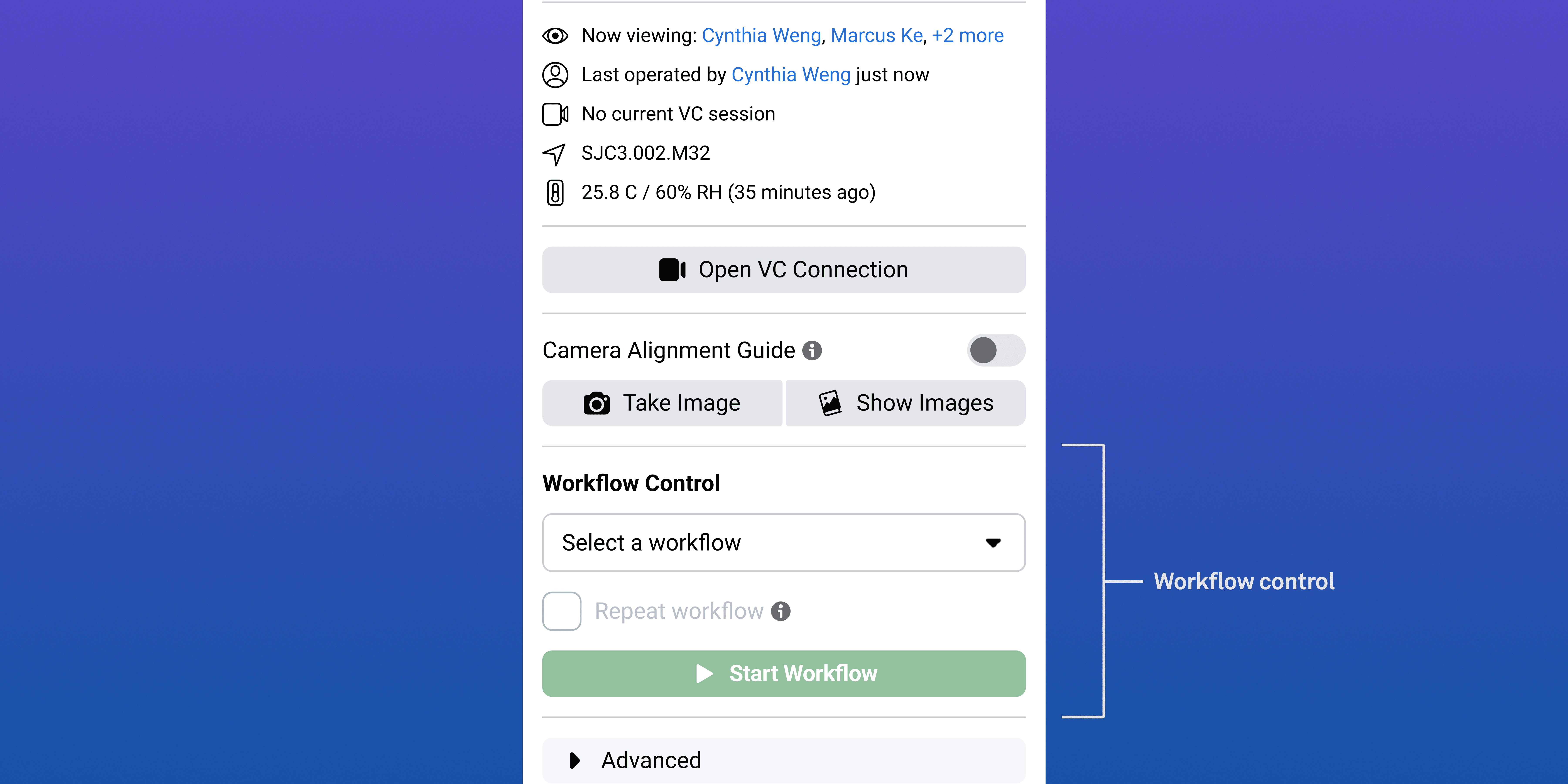
Closeup of the workflow control area.
Multiple users could view and access a robot simultaneously, creating a high risk of concurrency conflicts. When two users attempted to take control or initiate a workflow at the same time, it jeopardized the task and risked the robot’s operational stability.
During research, a recurring theme emerged: users needed the ability to control a robot without the risk of outside interference.
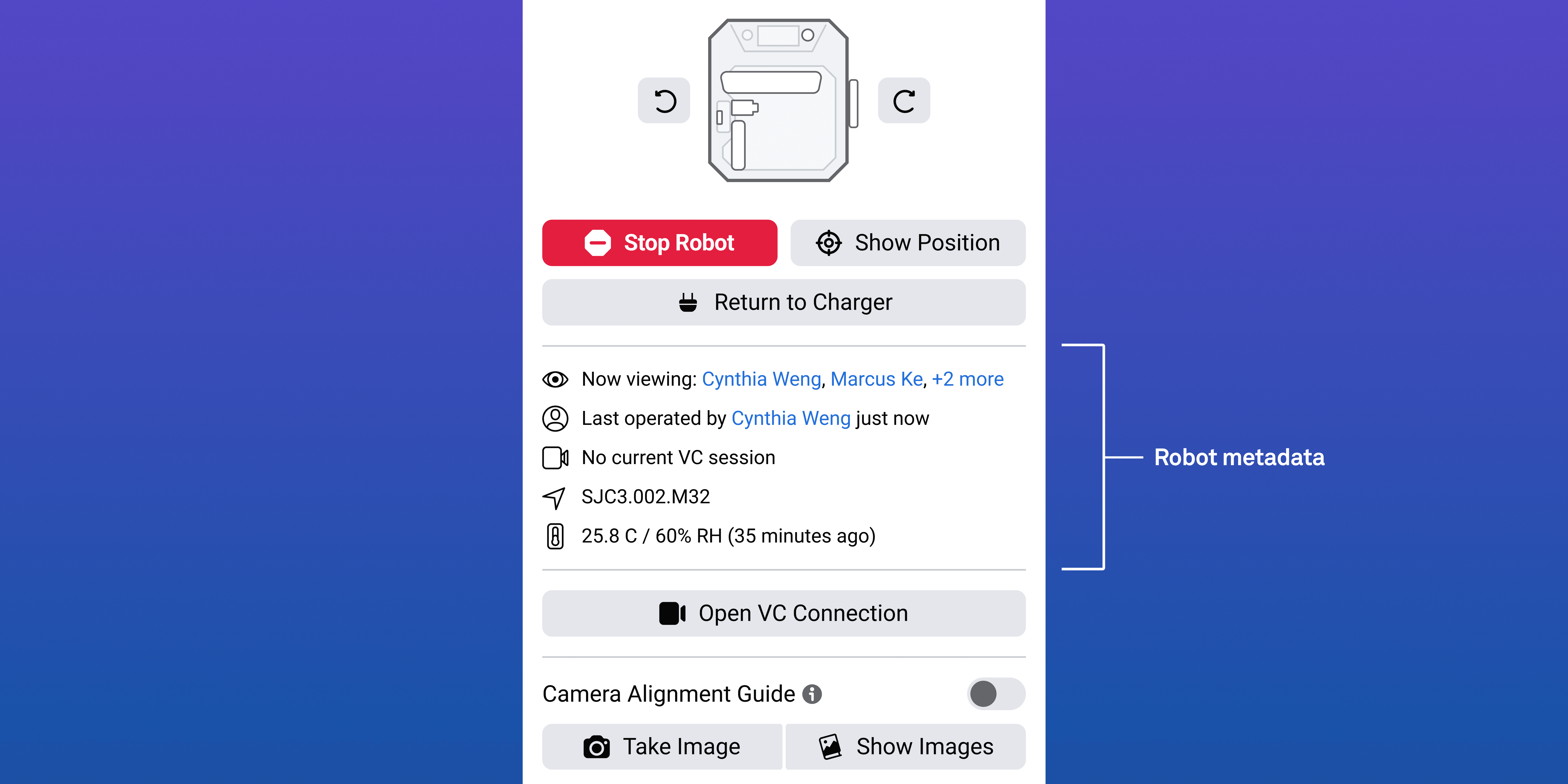
Closeup of the robot pane showing how multiple people can view and control the robot.
Users
This tool primarily targets the following Meta employees:

Site Logistics Analysts

Robotics Engineers
Site Logistics Analysts: Their goal was to perform weekly asset-scanning workflows to remotely verify the status of racks and servers. These workflows helped ensure data center assets remained accurate, operational, and up to date without requiring onsite intervention.
Robotics Engineers: Their goal was to execute move orders that relocated robots between data halls as operational needs changed. These activities typically occurred on a weekly or monthly cadence and required precise coordination to prevent workflow interruptions.
Project Scope
Based on early user research, I identified several core requirements for the scheduler. The system needed to:
Provide reservation visibility: Present a clear, centralized view of all reservations, including pending, active, archived, and upcoming sessions.
Support automated workflows: Enable users to assign predefined workflows for robots to execute during scheduled time slots.
Communicate robot availability: Clearly indicate when robots are available, allowing users to plan and coordinate operations efficiently.

In collaboration with engineering, I defined key technical constraints that shaped the scheduler’s system logic:
No overlapping reservations: The system must prevent concurrent bookings to avoid workflow conflicts and protect robot stability.
One workflow per robot: Each robot can execute only one workflow at a time to ensure operational reliability.
User-defined durations: Due to variables such as robot status and battery levels, workflow duration cannot be accurately estimated by the system. Users are therefore responsible for specifying expected task durations. Early in the project, I identified this requirement as a potential usability challenge, particularly for new users who may lack familiarity with how long workflows typically take.
Defining the System
To determine how the scheduling system should integrate with the existing robotics platform, I facilitated a series of discussions with stakeholders and cross-functional partners to explore key open questions. These conversations helped define the system across three core areas:
Access & Security
How do we manage access control for users who own the reservation vs non-owners?
What controls should be available to non-owners of a reservation to ensure safe operations?
Hardware Logistics
How will the system account for the charging time required between workflows?
Does the robot hardware have any impact on the software that is worth communicating to users?
Communication & Error Handling
How should the interface handle errors, such as scheduling conflicts or failed reservation attempts?
What specific notifications do users require to stay informed about their reservations and workflow status?
Design Process
Once I had a clear understanding of the design parameters, I audited existing tools to identify a foundation for the scheduler feature. I focused specifically on Meta’s internal calendar tool, which employees use daily.
Because this tool was already ingrained in our users’ workflows, I leveraged its visual language and interaction patterns to create an immediate sense of familiarity. Our internal design system did not yet include components for a calendar interface, so I designed and built these from the ground up.
A key feature of Meta’s internal calendar tool is the ability to create recurring event series, a functionality several users requested during initial discovery. However, after consulting with engineering, we determined that implementing full recurrence was not feasible for the MVP.
As a compromise, the team and I designed a solution that allowed users to select a single start and end date, enabling a workflow to repeat continuously throughout that window. The main limitation of this approach was that the robot would run nonstop, pausing only to charge, and effectively blocking all other users from accessing it for the duration of the reservation, which could span several weeks or months.
When I shared this approach with users, the feedback was clear. Users wanted to automate workflows within a timeframe, but this solution limited their ability to maximize efficiency.
User Feedback
After releasing the initial MVP of the scheduler, I conducted interviews with five users to gather feedback. The most frequent observation was that creating a reservation was time-consuming.
For some users, scheduling a series of reservations for a single month could take over an hour. This friction emerged as a primary pain point, often discouraging adoption of the feature. While the core functionality met user needs, the workflow efficiency clearly required improvement to ensure long-term user engagement and adoption.
For some users, scheduling a series of reservations for a single month could take over an hour.
Hearing this feedback validated my initial assumption: users wanted to automate their workflows by creating recurring reservation series. These insights provided the leverage to advocate for the engineering team to prioritize the implementation of a full recurrence feature in the next iteration.
Recurring feature in action.
To address this pain point, I added a recurring feature within the reservation form, allowing users to specify exactly how often a robot should be reserved or run a workflow. This update reduced the time required for monthly scheduling from hours to minutes, giving users greater flexibility and efficiency when planning workflows in advance.
This update reduced the time required for monthly scheduling from hours to minutes, giving users greater flexibility and efficiency when planning workflows in advance.
One key insight was that users with smaller displays experienced frustration. The reservation form often occupied most of the calendar view, making it difficult to interact with both simultaneously. To address this, I partnered with an engineer to implement a drag toggle, enabling users to manually adjust the proportions of the form and calendar as needed.
Drag toggle in action.
Key Takeaways
¹
Embrace incremental progress
Building within a complex robotics environment taught me that an MVP doesn't have to be perfect to be valuable. Success is about delivering a functional foundation and refining it through iterative updates based on real-world use.
²
Challenge assumptions early
Testing with users is the only way to truly validate a feature’s necessity. By putting concepts in front of them early, I was able to distinguish between "nice-to-have" ideas and the critical functionality required for the product to succeed.
³
Prioritize system-level scalability
Integrating a major feature requires a holistic view of the system architecture and interplay between this tool and the physical robot. I learned to effectively build a feature within the existing tool by understanding the tool's constraints, the relationship the tool has with the physical robot, and finding a balance between moving fast with what I know/discovered early in the process to deliver a cohesive and scalable feature within the tool.
Conclusion
Serving as the lead designer for this project allowed me to guide the end-to-end process of designing and shipping a feature. This experience taught me how to refine our team’s operations and better advocate for our users by engaging them much earlier in the design process.